Battery Backup for Home Review: Top Picks for Reliability
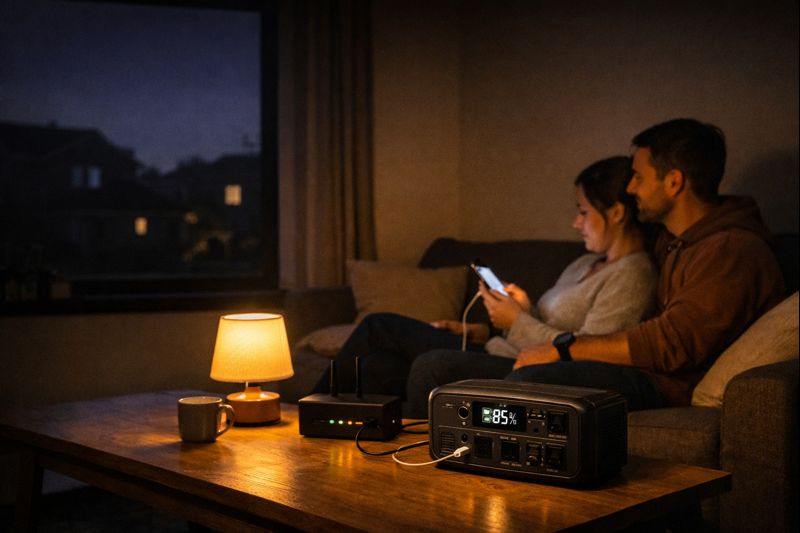
The first time your power goes out, it’s annoying. The third time? It’s personal. Your phone’s at 12%, the fridge is sweating, your Wi-Fi dies mid-call, and suddenly you’re negotiating with a single candle like it’s a luxury item. That’s where a battery backup for home stops being a “nice-to-have” and becomes peace of mind you can literally plug in.
In this guide, I’ll help you choose the right backup (without turning it into an engineering project), size it for your real life, and pick from a few reliable options that people actually buy for outages—especially if you want something quieter, cleaner, and less fussy than a generator.
Affiliate note: If you buy through my Amazon links, I may earn a small commission at no extra cost to you.
What a battery backup for home actually does
A battery backup for home is basically a power “pantry.” When the grid goes down, you pull electricity from stored energy instead of hoping your phone hotspot magically powers your router (spoiler: it won’t).
Most home-focused battery backups fall into two buckets:
- Portable power stations (plug appliances directly into the unit)
- Installed home batteries (tie into your electrical panel for selected circuits or whole-home)
Portable models win on simplicity. Installed systems win on “it just works” vibes—especially for larger loads.
Battery backup vs generator: which fits your life?
Here’s the friend version:
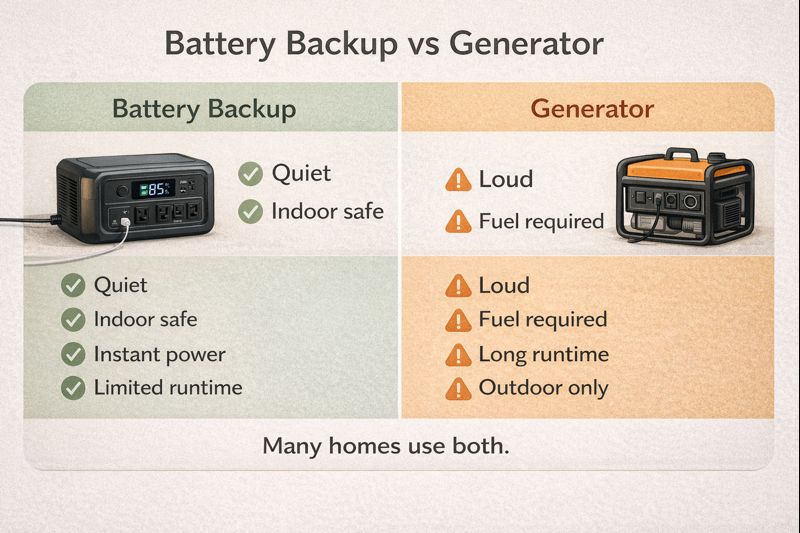
- Generator = loud, fuel-dependent, great for long outages if you store fuel safely
- Battery backup = quiet, indoor-friendly, instant power, but capacity is limited
If you want to run a lot of heavy stuff for days (multiple fridges, big AC, power tools nonstop), a generator often makes sense. If you want quiet backup power for essentials—lights, Wi-Fi, fridge time, medical devices—battery backup feels like a stress detox.
A lot of people do a hybrid: battery for night + generator for extended outages.
Your outage “must-haves”: decide what matters most
Before you shop, pick your “non-negotiables.” Think of it like packing a go-bag… but for electricity.
Most common “must-haves”:
- Wi-Fi router + modem
- Phone charging + power bank refills
- A few lights
- Fridge (even part-time)
- Fan (heat) or blanket/space planning (cold)
- CPAP/medical device (if needed)
Quick gut-check: If the power went out tonight, what would you miss in the first 2 hours? That list is your starting point.
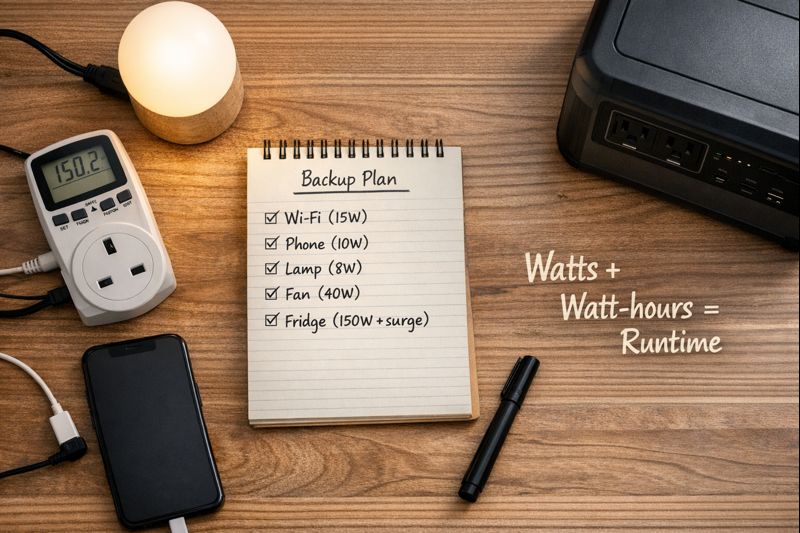
Watts, watt-hours, and surge power (without math panic)
Three terms you’ll see on every battery backup listing:
- Watts (W) = how fast something drinks power (like speed)
- Watt-hours (Wh) = how much energy you have stored (like the size of the fuel tank)
- Surge/peak watts = the “starting sprint” needed for motors (fridges, pumps, some tools)
Example: A fridge might run at ~150W once it’s going, but it may need a bigger surge for a split second when the compressor kicks on. That’s why people buy a unit that looks “too powerful” on paper… and then it works perfectly in real life.
Sizing a battery backup for home in 10 minutes
If you want a quick-and-decent estimate:
- List your essentials
- Find their watts (label, manual, or a plug-in watt meter)
- Decide how long you want them running (2 hours? overnight? “until morning coffee”?)
- Add a buffer (because real life isn’t a spreadsheet)
Rule of thumb (friendly, not perfect):
- ~300–600Wh: Wi-Fi + phones + lights for hours
- ~1,000Wh: adds fan + longer device time, maybe fridge “cycling time”
- ~2,000Wh+: much more comfortable for fridge + multiple devices + longer coverage
If you’re unsure, go a bit bigger than you think—because nothing is more annoying than buying “almost enough.”
Essential circuits vs whole-home backup: two good paths
Essential-circuits approach: You power only what matters (fridge, some outlets, maybe lights). Cheaper, simpler, and honestly the sweet spot for most households.
Whole-home approach: You try to cover nearly everything. It’s awesome—but it’s also a bigger investment, and it usually means an installed system tied to your panel.
If you rent, live in an apartment, or just want speed and flexibility, portable power stations are usually the win.
Make any battery last longer during an outage (easy wins)
Outage mode is not the time to live like you’re hosting a house party.
Try this instead:
- Use one room for lighting, charging, and comfort (power “camping” indoors)
- Turn the fridge into a cooler strategy (see next section)
- Use fans on low instead of blasting
- Prefer LED lamps over ceiling lights
- Charge devices in batches, then unplug the charger (chargers sip power constantly)
Tiny changes stretch your battery like you’d stretch your groceries the day before payday. Same energy. Literally.
Work-from-home backup: keep Wi-Fi and devices alive
If your work depends on internet, your backup priorities shift fast.
A practical WFH mini-kit:
- Router + modem
- Laptop charging
- Phone charging
- One lamp
Pro tip: Routers/modems use surprisingly little power. A modest battery backup for home can keep your internet alive for a long time—especially if you’re not also trying to run the microwave like nothing happened.
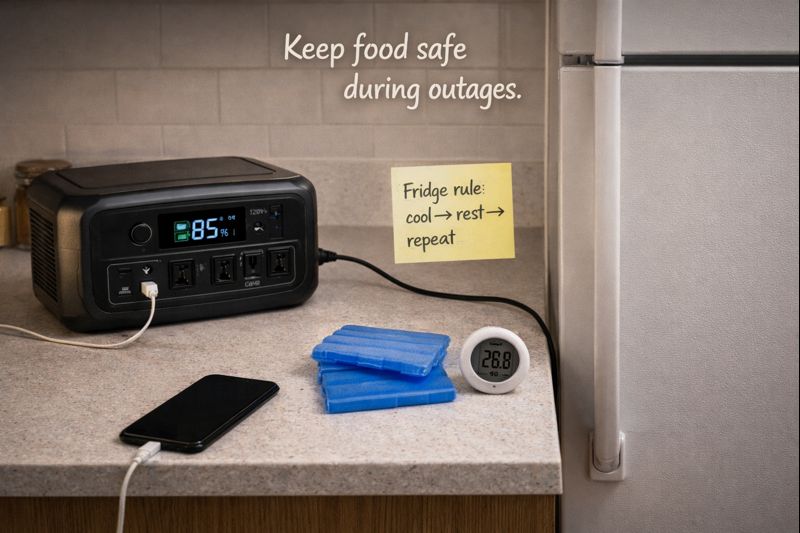
Fridge and freezer backup: save the groceries
This is where people either feel brilliant… or watch a week of groceries turn into a sad science experiment.
Best practice:
- Keep doors closed as much as possible
- Run the fridge in bursts (cool it down, then rest)
- If you have ice packs, use them strategically
- Start with the freezer first—it holds cold longer
Also: if you’re shopping specifically to keep food safe, look for a unit with strong surge power and a pure sine wave output (friendlier to appliances and electronics).
Comfort + safety: fans, lights, and staying sane
Let’s be real: comfort is safety. Heat exhaustion, stress, and poor sleep make everything worse.
A few comfort-focused ideas:
- Choose a DC fan if you can (more efficient)
- Use one bright LED lantern instead of many dim lights
- Keep a “power outage box” ready: headlamp, batteries, charging cables, snacks, water
If you’re in a hot climate, a fan + hydration can be the difference between “annoying outage” and “why am I sweating in my soul?”
Medical and mobility needs: planning with extra care
If you rely on a CPAP, oxygen concentrator, refrigerated meds, or mobility devices, treat backup planning like a seatbelt: boring until it saves you.
A few smart moves:
- Know the device wattage and whether it needs pure sine wave power
- Plan for overnight runtime, not just “a few hours”
- Consider a backup charging method (car charging, solar input, second unit)
And if your situation is medically sensitive, it’s worth asking your device provider for power guidance so you don’t guess.
Solar + battery backup for home: a smoother upgrade
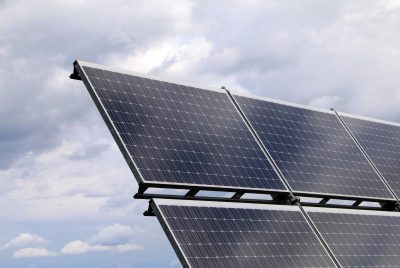
A battery alone eventually runs out. Add solar, and you can recharge during daylight—quietly and without fuel runs.
This is why people like “solar generator” setups (power station + panels). It’s not magic; it’s just a clean refill option.
If you’re exploring renewable options more broadly (not just outage backup), this quick guide to renewable energy choices is a helpful starting point: renewable energy options and basics.
Cost, warranty, and lifespan: what you’re really paying for
You’re paying for three things:
- Capacity (Wh) — how long it lasts
- Output (W) — what it can run at once
- Battery chemistry + build quality — how long it stays reliable
Look for:
- LiFePO4 (LFP) if you want long cycle life and stability
- Solid warranty terms (and a brand with real support)
- Ports that match your life (AC outlets, USB-C PD, car port, solar input)
And yes—sometimes the “mid-priced, well-reviewed” option is the lowest-risk buy. Not glamorous, just smart.
Product Recommendations: 5 reliable options
Below are five popular, home-friendly picks that people commonly use as a battery backup for home. I’m focusing on options with strong ratings and substantial review volume (because you deserve less guesswork and more reliability).
1) Anker SOLIX C1000 Gen 2 Portable Power Station (1,024Wh)
Why it’s here: Great “starter-but-serious” home backup size—strong output, fast recharge, and very practical for essentials.
Standout features
- Around the 1,000Wh sweet spot for essentials
- Strong output for multiple devices
- Typically quick recharge compared to older models
Best for
- Apartments, renters, small homes
- Wi-Fi + lights + phones + fan + laptop
- Anyone who wants a reliable first “real” backup unit
2) BLUETTI Elite 100 V2 (1,024Wh)
Why it’s here: Similar capacity to the Anker, with a reputation for being a solid, compact home-backup choice.
Standout features
- 1,024Wh class capacity
- Home-friendly for routers, lights, and device charging
- Easy “grab-and-go” style for outages
Best for
- Essential loads (WFH gear, charging, lights)
- Short-to-medium outages
- People who want simple setup now, solar later
3) BLUETTI Elite 200 V2 (2,073.6Wh)
Why it’s here: Bigger capacity = fewer compromises. This is where fridge support starts feeling more realistic and less like a juggling act.
Standout features
- ~2,000Wh class capacity
- Higher output headroom for more appliances
- Better comfort coverage (longer runtime, more devices)
Best for
- Fridge support + essentials
- Families who want “calmer outages,” not “survival mode”
- Longer outages where you can’t just wait it out
4) Jackery Solar Generator 1000 v2 (1,070Wh + 200W panel kit)
Why it’s here: A strong all-in-one option if you want battery + solar recharging without piecing parts together.
Standout features
- Solar panel included (nice for day-2/day-3 outages)
- Good balance of portability and power
- “Recharge anywhere” flexibility
Best for
- Homes with frequent outages
- Anyone who wants solar recharging from day one
- Camping + home backup combo buyers
5) Jackery Explorer 2000 v2 (2,042Wh)
Why it’s here: Big battery comfort. Great when you want longer coverage and higher output without committing to a permanent install.
Standout features
- ~2,000Wh class capacity
- Strong output for multi-device home backup
- Good option for fridge + essentials planning
Best for
- Multi-device households
- People who want fewer tradeoffs during outages
- Backup power that feels closer to “normal life”
Research, FAQs, and a confident next step
What research says about home battery backup reliability
Two expert resources worth trusting (and actually readable):
- NREL’s benchmarks for residential battery storage explain typical home storage sizing and how the market shifted toward lithium iron phosphate (LFP) chemistry for stationary storage in recent years. NREL residential battery storage cost & performance benchmarks.
- A 2024 NREL study on solar-plus-storage during long outages digs into how home energy use patterns affect how well PV + batteries can keep critical loads running—useful if you’re deciding whether “battery only” is enough or if solar charging matters for your area.
The simple takeaway? A battery backup isn’t just about “biggest battery wins.” Your loads (what you run) matter just as much as your capacity.
FAQs
Is a battery backup for home worth it if outages are rare?
If your outages are truly rare and short, a smaller unit for Wi-Fi + phones may be enough. But if outages disrupt work, sleep, health needs, or food safety—even a few times a year—battery backup often pays for itself in reduced stress alone.
How long will a 1,000Wh power station run a fridge?
It depends on the fridge’s efficiency and compressor cycles. Many households use the “burst strategy”: run the fridge to cool down, then let it rest with the door closed. For longer coverage, a ~2,000Wh class unit makes fridge planning much more comfortable.
Can I use a battery backup for home with solar panels?
Yes—if the unit supports solar input. That’s the main advantage of “solar generator” setups: you can refill during daylight without fuel, which helps during multi-day outages.
What size battery backup do I need for a CPAP?
You need your CPAP wattage (and whether you use a humidifier). Many people choose a setup that comfortably covers overnight use with a buffer. If it’s medically important, plan conservatively and confirm your device requirements.
Do I need a transfer switch for a home battery backup?
For portable power stations, you typically plug devices directly into the unit (no transfer switch). For powering home circuits through your panel—or anything that could backfeed the grid—you’ll want proper electrician-installed equipment.
Conclusion: your next best move
If you want the lowest-stress win, start by backing up your essentials: Wi-Fi, lights, phone charging, and comfort. Then decide if you want fridge support (often the tipping point for choosing a larger unit).
A battery backup for home doesn’t have to be “perfect” to be life-improving. Even a modest setup turns an outage from chaos into a temporary inconvenience—which is honestly the best outcome.